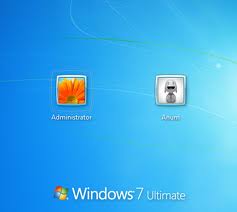
 If you have a Windows computer and have ever lost your password, often the only thing you can do is reinstall Windows. There’s nothing else you can do. And if you have lost or misplaced your original install disks, it’s also going to be even more difficult to recover that lost password.
Awesome website How-To Geek has one solution for recovering a lost password: change or reset your Windows password from a Ubuntu live CD.
It won’t be the easiest solution to your problem, but How-To Geek at least provides a step-by-step walkthrough, complete with screenshots. An additional option is to reset your Windows password with SystemRescueCD, and this solution can be booted from USB disk or CD.
Finally, the easiest, step-by-step process may be:
- Download the pendrivelinux auto-drive maker.
- Download Kon-boot. This is hosted out of my dropbox b/c the zip you d/l from the site is a challenge for noobs…it’s passworded and a couple folders deep. You can download it directly if you feel more secure. This is a direct link to the ISO, it’s TINY.
- Stick your flash drive into a usb slot—you’re going to lose all data. Select “Kon-Boot” from the drop down menu on the pendrivelinux app.